
Data Read-Out Units
Read-out units and communication cables for downloading Eijkelkamp Diver water level loggers in the field — the Diver Read-out Unit, Diver-Mate Reading Unit, Prime PRO300 and the HDC, MDC and Smart communication cables that connect them.

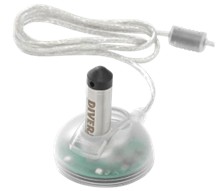
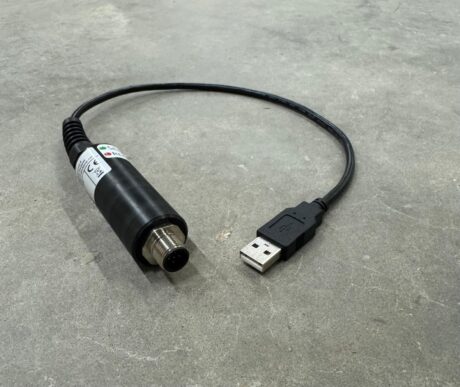
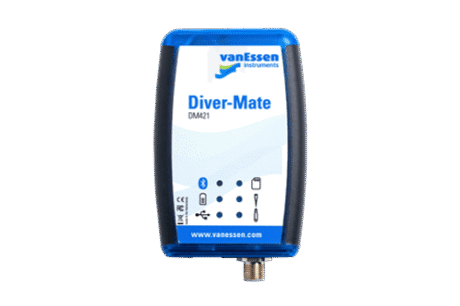


Read-out units
- Diver Read-out Unit — the dedicated handheld for straightforward field downloads. Simple, purpose-built and independent of any other device.
- Diver-Mate Reading Unit — connects a Diver to a mobile device, for crews who prefer working from a phone or tablet in the field.
- Prime PRO300 — covers read-out alongside its wider data handling and telemetry role.
Communication cables
- HDC Cable and MDC Cable — for different Diver configurations. Check which your loggers use before ordering.
- Diver Smart Communication Cable — for smart-enabled Diver units.
Why read data at the well
The obvious reason to download on site is convenience. The better reason is verification. A logger that has failed, run out of battery, drifted, or been fouled will look exactly like a working one from the outside — you only discover the problem when you open the file. If that happens at the well, you can clean the sensor, replace the unit or reset the deployment before you leave. If it happens back at the office a fortnight later, you have lost the interval and you are making another journey.
The practical habit is to download, glance at the record for gaps and implausible values, take a manual dip with a water level meter and check it agrees with the logger, then redeploy. It takes a few minutes per well and it is the single most effective thing a field crew can do to protect a dataset.
Minimise handling
Where the cable arrangement allows reading without fully retrieving the logger, do that. Every retrieval and redeployment is an opportunity for the sensor to end up at a slightly different depth, and since the deployment depth is the reference for converting pressure to water level, a change there propagates through everything recorded afterwards. On long-running installations, the less the logger is physically moved, the cleaner the record.
Cables are the thing that ruins a site visit
A read-out unit is a one-per-crew item. Cables are not — they have to match the loggers you are actually running, and arriving at a remote well with the wrong one wastes the entire journey. If you operate a mixed network with loggers bought at different times, it is worth confirming which cables cover which units and carrying the full set. Tell us what you are running and we will check it against the range.
Read-out or telemetry
Manual download makes sense where you are visiting the wells anyway for sampling or dipping — the marginal cost is minutes. Telemetry makes sense where visits are expensive or slow, where the site is remote or access is restricted, or where you need to see the data promptly rather than at the next scheduled visit. Plenty of networks run both: telemetry on the wells that matter most or are hardest to reach, manual download on the rest.
Related equipment
For the loggers themselves see Water Level Loggers, and for remote data retrieval see Data Communication. For the wells see Monitoring Wells.
Read-out unit FAQs
Ordering and support
All equipment here is genuine Eijkelkamp, supplied direct from our UK operation with UK-based service and support. Tell us which Diver models you are running and we will confirm the right read-out unit and cables. Request a quote or get in touch.